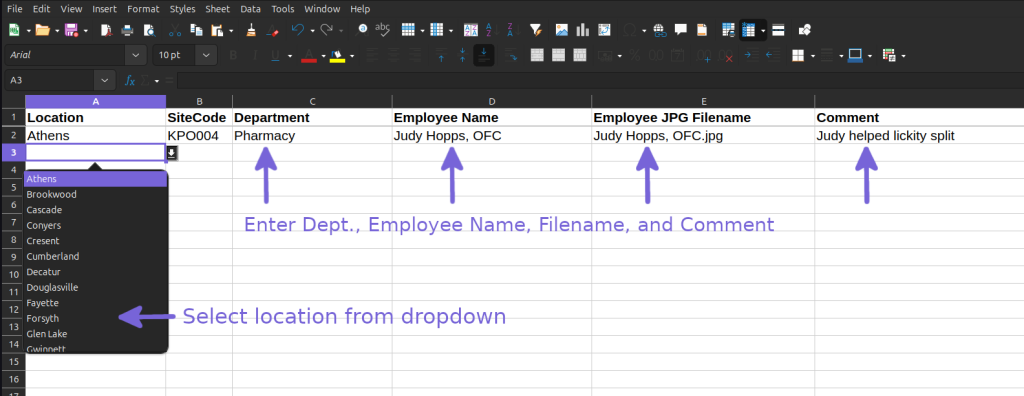
Client populates and uploads an Excel file to automatically create new media items. This sample below is perfect for Gratitude / Feedback / Online Reviews.
This time saving data integration allows clients to populate a media template via XLS file and related images. This template is set up to share positive feedback from your internal or external sources for all to see. KPO uses this process to automate media generation for “Realtime Feedback” RTF series.


High Level Process

- Download, Rename & Populate XLS File
Download empty KPO or KPE Template. Rename XLS file to include today’s date in format YEARMONTHDAY. Append XLS file with text data. Filenames for each photo must match filenames uploaded to CMS. Unmatching file names automatically replaced with default image. - Upload JPG Photos
Upload all photos mentioned in XLS file, being careful to match JPG names to match XLS names - eMail XLS File
eMail XLS file to content team to review and upload to CMS - Kiosk & Display will Upload XLS file to CMS for Processing
We will vet, review and upload XLS file into your CMS workgroup. - Review PDF Thumbnails or Media in CMS
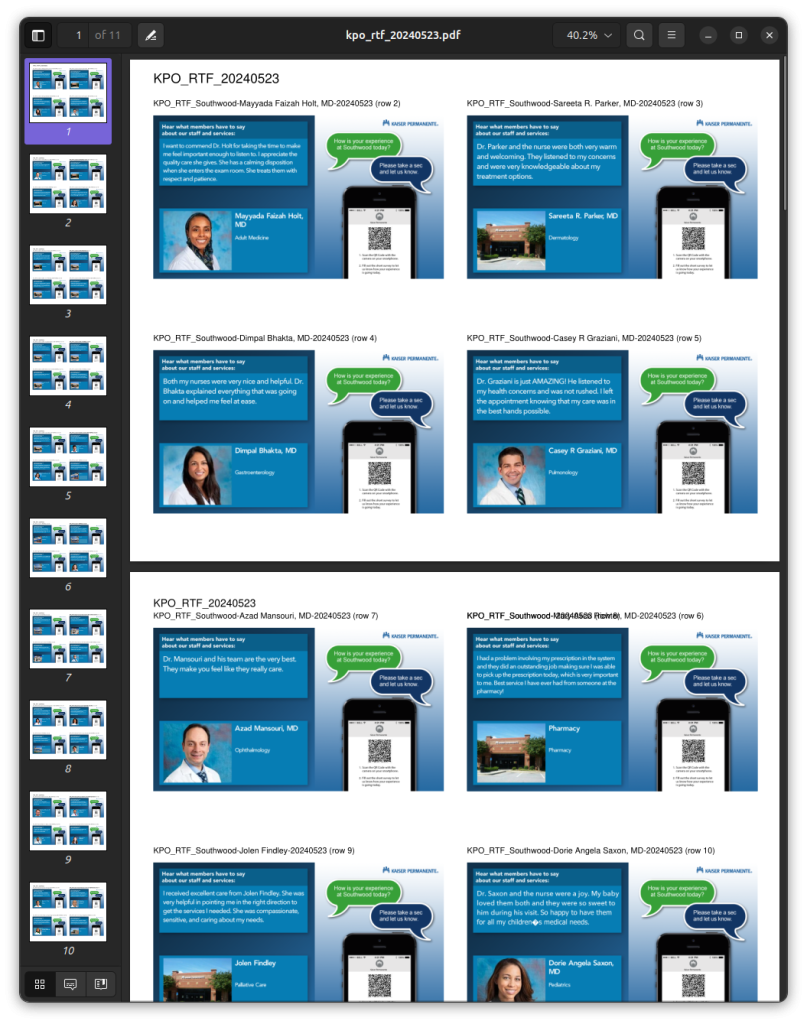
You will receive PDF of thumbnail renderings for your new auto-generated playlist. Send us your changes or change the Messages in the new playlist which can be found in CMS/Playlists. - eMail Playlist Approval to content@
When you are satisfied with the auto generated Messages, eMail Kiosk & Display content team that you would like your new playlist to go live.
Frequently Asked Questions
- How do I remove auto-generated media from my screens?
Go to your All Locations playlist and remove related subplaylist. You can also eMail content team to do this on your behalf. - When I email content team that I approve the PDF thumbnails, what happens next?
The content team will remove the previous auto-generated playlist and schedule the new version. - What if the filename I provide on the XLS file does not match the filename uploaded to CMS?
A default image will be inserted in place of your file.
Finished Rendering Samples
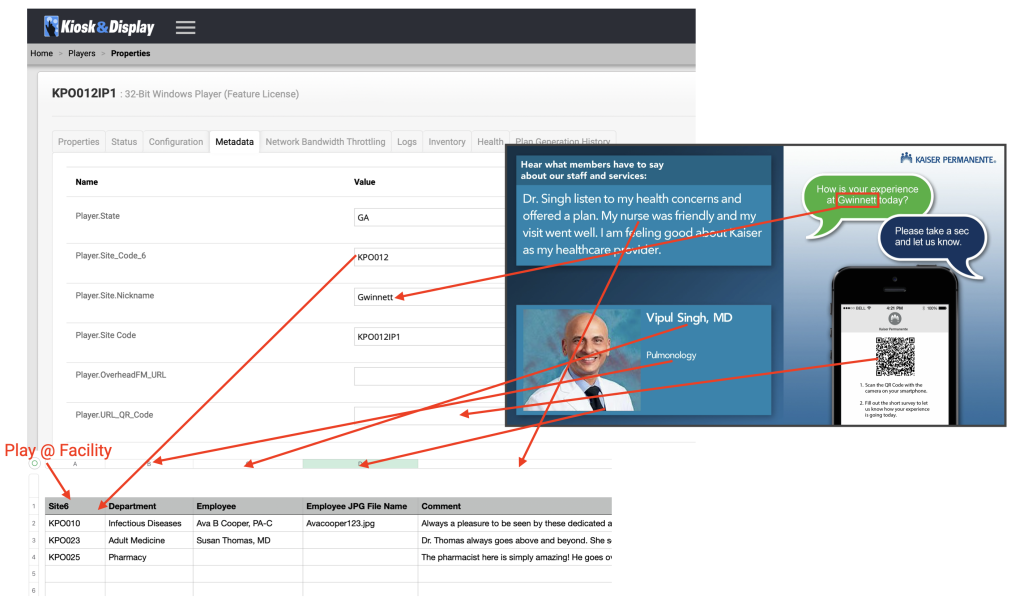
Data Map Rendering
This is used by our team for troubleshooting.
XLS File Helper
More information about the XLS file data requirements.